Redirect using Cloudflare
Set up proper HTTPS redirects for your SmugMug custom domain using Cloudflare's free tier.
SmugMug supports HTTPS on custom domains, but there's a limitation: SSL certificates are only installed on the www subdomain (CNAME record), not on the root/naked domain.
This means:
https://www.yourdomain.com— Works correctlyhttp://yourdomain.com— Redirects tohttps://www.yourdomain.com✓https://yourdomain.com— Fails to load (no SSL certificate)
This tutorial shows how to use Cloudflare's free tier to redirect all traffic, including https://yourdomain.com, to the secure www version of your site.
Prerequisites
Before starting, ensure you have:
- A registered domain name
- Access to your domain registrar's DNS settings
- A SmugMug account with a custom domain configured
Add your domain to Cloudflare
Create a Cloudflare account
Sign up at cloudflare.com and select the Free plan. The paid features are not required for this setup.
Add your domain
Follow Cloudflare's onboarding wizard to add your domain. Cloudflare will scan and import your existing DNS records automatically.
Update nameservers
Point your domain to Cloudflare's nameservers at your registrar. Cloudflare provides specific nameserver addresses during setup.
Configure DNS records
You need two CNAME records: one for the root domain (which Cloudflare will proxy) and one for the www subdomain (pointing directly to SmugMug).
Add the root domain CNAME
Create a CNAME record for the root domain that points to your www subdomain:
| Type | Name | Target | Proxy status |
|---|---|---|---|
| CNAME | @ | www.yourdomain.com | Proxied (orange cloud) |

The orange cloud (Proxied) must be enabled for this record. This allows Cloudflare to intercept requests and apply the redirect rules.
Add the www CNAME
Create a CNAME record for the www subdomain pointing to SmugMug:
| Type | Name | Target | Proxy status |
|---|---|---|---|
| CNAME | www | domains.smugmug.com | DNS only (grey cloud) |

The proxy must be disabled (grey cloud) for this record. If left proxied, your SmugMug site will not load correctly.
Enable SSL/TLS encryption
Configure Cloudflare's SSL settings to handle HTTPS requests for the root domain.
Navigate to SSL/TLS in your Cloudflare dashboard and set the encryption mode:
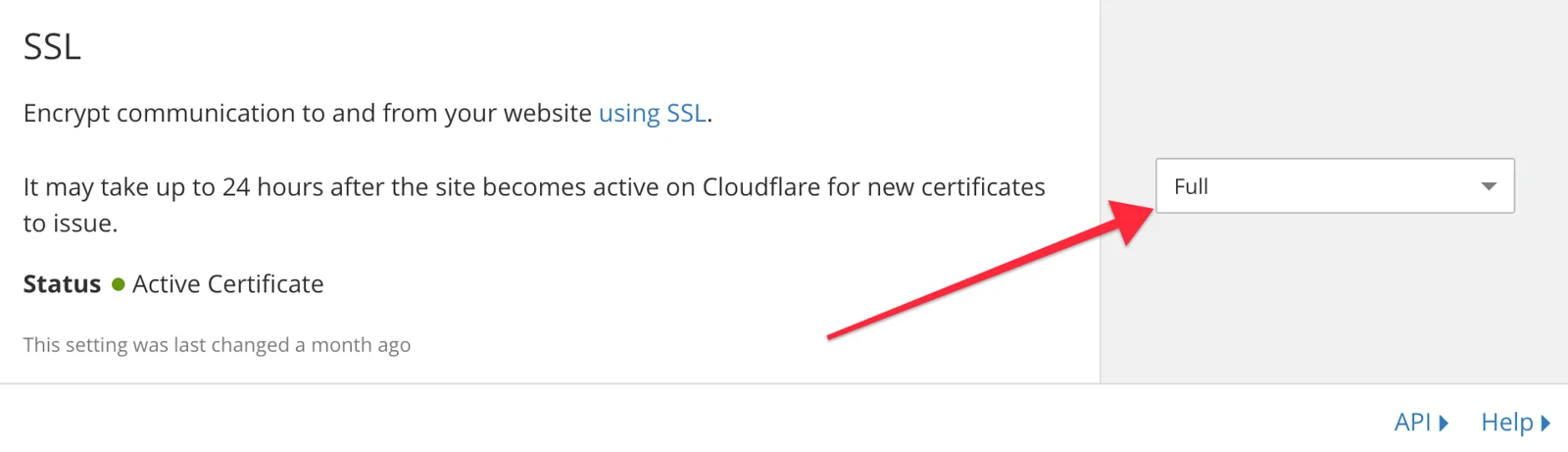
Select Flexible or Full mode depending on your needs. Flexible is sufficient for this redirect setup.
Create redirect rules
Use Cloudflare's Page Rules to redirect all root domain traffic to the www version.
Navigate to Page Rules
Open the Rules > Page Rules section in your Cloudflare dashboard:

Create HTTPS enforcement rule
Click Create Page Rule and configure:
| Field | Value |
|---|---|
| URL | http://www.yourdomain.com/* |
| Setting | Always Use HTTPS |
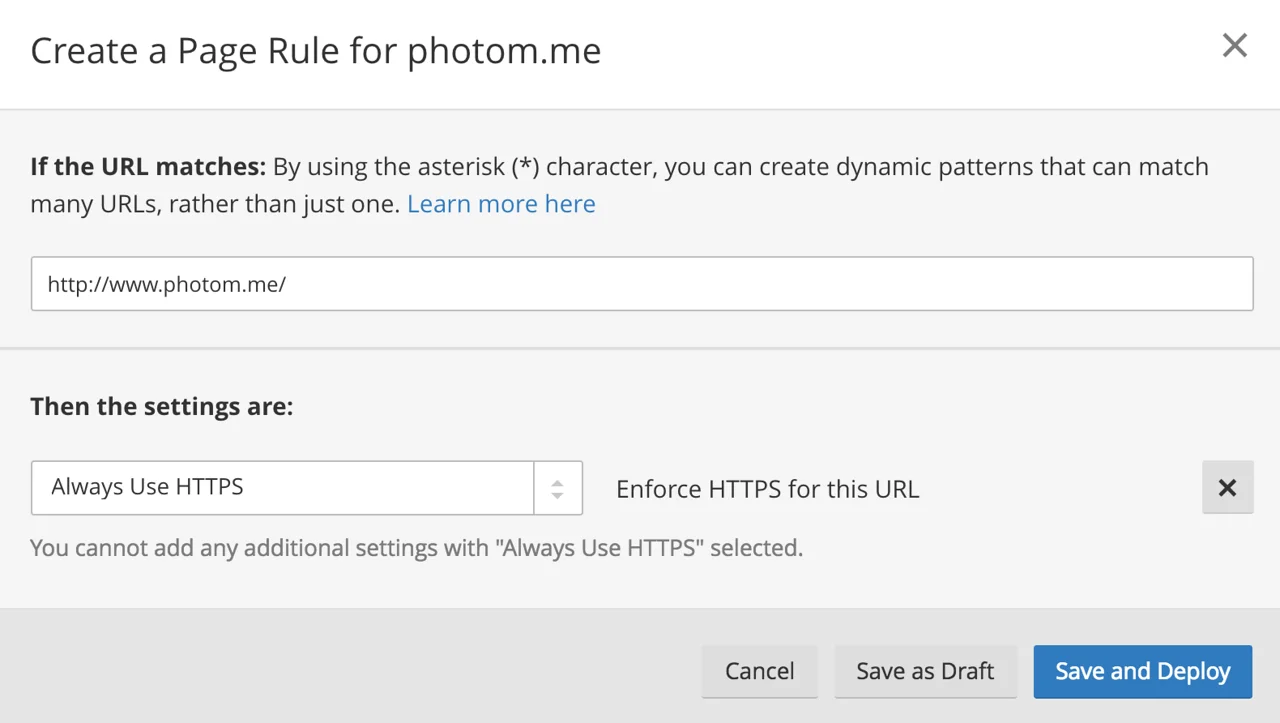
This ensures all HTTP requests to your www subdomain are upgraded to HTTPS.
Create root domain redirect rule
Click Create Page Rule again and configure:
| Field | Value |
|---|---|
| URL | https://yourdomain.com/* |
| Setting | Forwarding URL (301 - Permanent Redirect) |
| Destination | https://www.yourdomain.com/$1 |
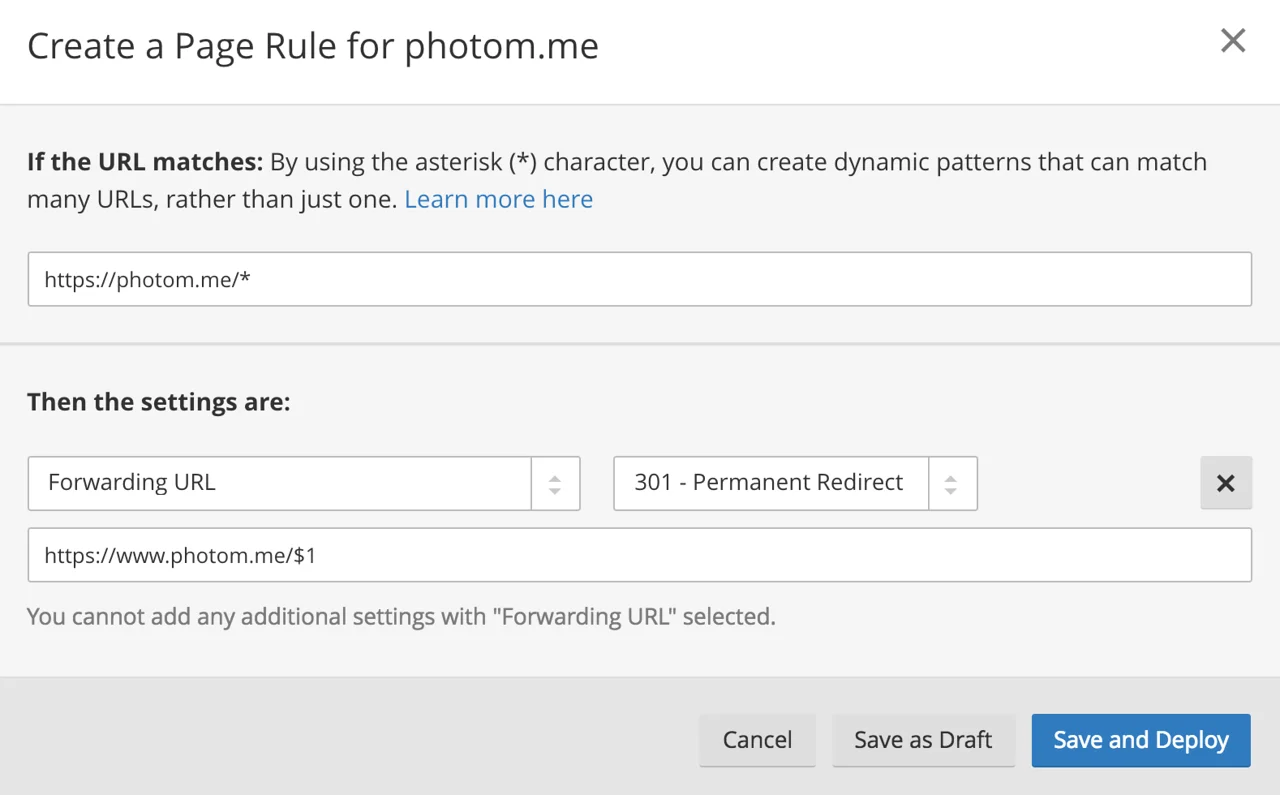
The /* captures any path after the domain, and $1 preserves it in the redirect. For example:
https://yourdomain.com/Galleries/Nature→https://www.yourdomain.com/Galleries/Nature
Verify the configuration
After saving your rules, test all URL variations:
| URL entered | Should redirect to |
|---|---|
http://yourdomain.com | https://www.yourdomain.com |
https://yourdomain.com | https://www.yourdomain.com |
http://www.yourdomain.com | https://www.yourdomain.com |
https://yourdomain.com/Gallery | https://www.yourdomain.com/Gallery |
DNS changes can take up to 24 hours to propagate. If redirects aren't working immediately, wait and try again later.
Troubleshooting
Site shows SSL error on root domain
- Verify the root CNAME has the orange cloud (Proxied) enabled
- Check that SSL/TLS encryption is enabled in Cloudflare
Site doesn't load on www subdomain
- Verify the www CNAME has the grey cloud (DNS only)
- Confirm the target is exactly
domains.smugmug.com
Redirects not working
- Page Rules are processed in order; ensure redirect rules have higher priority
- Wait for DNS propagation (up to 24 hours)
How to Manually Point a GoDaddy Domain to SmugMug
Step-by-step guide to manually configure your GoDaddy domain to work with SmugMug when the automatic connector doesn't work.
How to Fix "Your Connection Is Not Private" Error on SmugMug
Troubleshoot SSL certificate errors when using a custom domain with your SmugMug website.