Why Images Look Cropped in SmugMug's Full-Screen Slideshow
Understand why SmugMug crops images in full-screen slideshows and learn best practices for selecting images that display well.
If you've added a full-screen slideshow or background image to your SmugMug site and noticed that parts of your images are cut off, you're not alone. This is expected behavior, not a bug.
Why cropping happens
Full-screen backgrounds must fill the entire browser window regardless of screen size or aspect ratio. Since screens come in different dimensions (widescreen monitors, tablets, phones), and photos have fixed aspect ratios, something has to give.
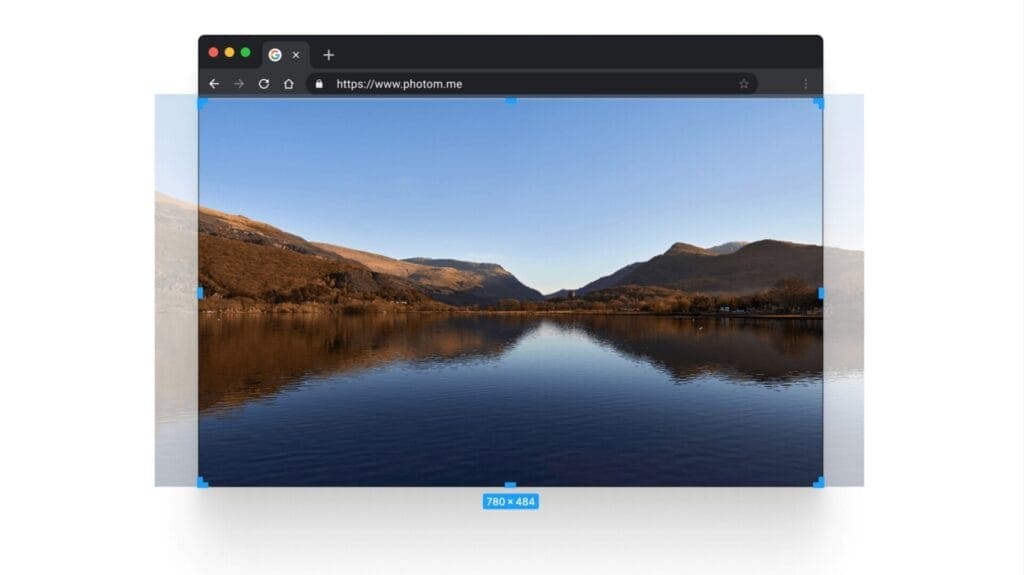
With cropping (default behavior)
The image scales to completely fill the screen, cropping edges as needed:
Without cropping (not recommended)
If cropping weren't applied, you'd see empty bars:
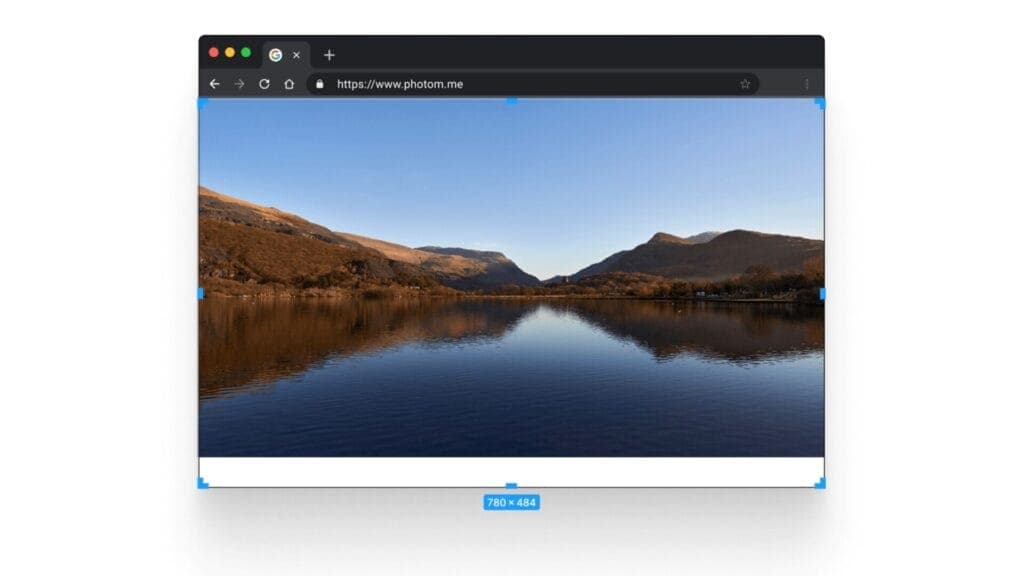
SmugMug uses the first approach to ensure your slideshow looks professional without visible gaps.
Best practices for full-screen images
Use horizontal (landscape) images
Landscape orientation works best because:
- Most screens are wider than they are tall
- Less cropping is needed on typical devices
- The composition translates better across screen sizes
Avoid vertical (portrait) images in full-screen slideshows. They'll be heavily cropped on most devices, potentially cutting off important parts of your composition.
Keep subjects away from edges
The safest area is the center of your image. Edges may be cropped depending on the viewer's screen:
- Safe zone: Center 60-70% of the image
- Risk zone: Outer edges and corners
Choose images with breathing room
Select photos that have space around the main subject. Tight crops or edge-to-edge compositions are more likely to lose important elements.
Test on different devices
Preview your slideshow on:
- Desktop monitors (various sizes)
- Tablets (landscape and portrait)
- Mobile phones
Alternatives to full-screen slideshow
If cropping is unacceptable for your images, consider these alternatives:
Slideshow content block
The standard Slideshow content block displays images within a defined area, preserving full images with optional letterboxing.
Carousel content block
The Carousel content block shows images in a scrollable strip, maintaining their original aspect ratios.
Single image background
Instead of a slideshow, use a single carefully chosen image that works well with cropping, or one specifically composed for full-screen display.
Technical explanation
SmugMug uses background-size: cover CSS property for full-screen images. This:
- Scales the image to fill the entire container
- Maintains the image's aspect ratio
- Crops overflow on the shorter dimension
The alternative, background-size: contain, would show the full image but leave empty space — generally considered less professional for photography websites.
How to Create a Full-Screen Custom Slideshow for SmugMug
Build a responsive full-screen slideshow with smooth transitions and a progress bar using HTML and CSS — no JavaScript required.
Hamburger Menu Builder
Create a custom CSS-only hamburger navigation menu for your SmugMug site. No JavaScript required - generates pure HTML and CSS code.