How to Hide Gallery Elements on SmugMug
Use CSS to hide gallery titles, descriptions, source gallery links, and the Buy Multiple Photos button from your SmugMug galleries.
SmugMug displays various elements in galleries that you might want to hide for a cleaner look or specific use cases. Here's how to hide common gallery elements using CSS.
Hide gallery title and description
Remove the title and description that appear at the top of galleries:
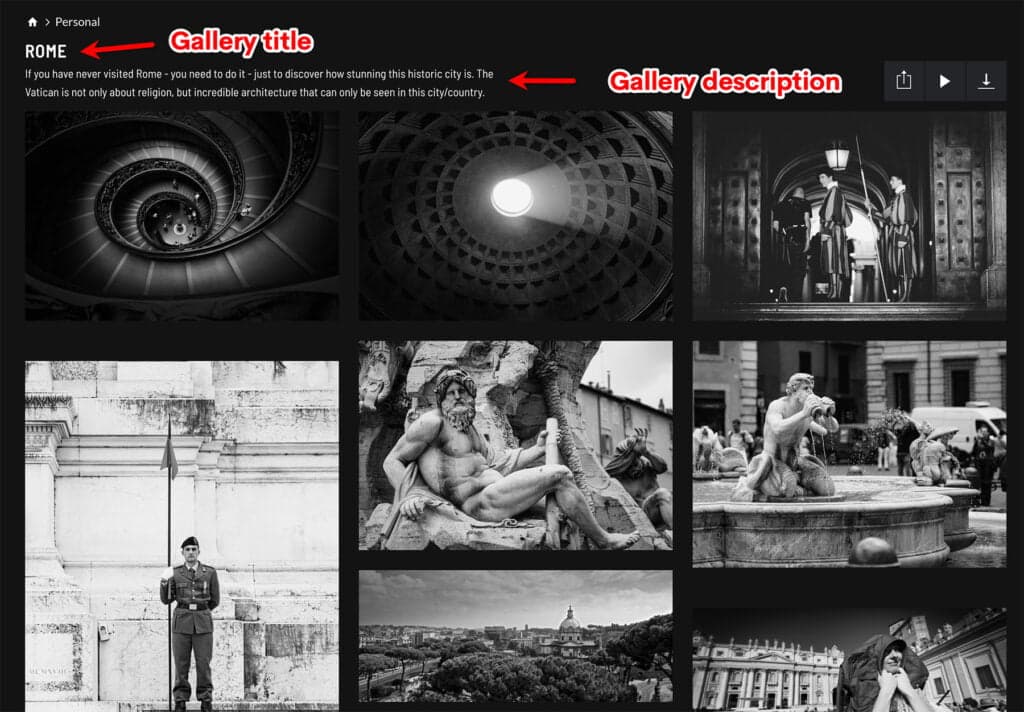
/* Hide gallery title */
.sm-gallery-cover-info .sm-gallery-cover-title {
    display: none;
}

/* Hide gallery description */
.sm-gallery-cover-info .sm-gallery-cover-description {
    display: none;
}
You can use either rule independently — hide just the title, just the description, or both.
Hide source gallery link for collected photos
When you use SmugMug's collect feature to display photos from one gallery in another, SmugMug shows a link back to the source gallery. To hide this:
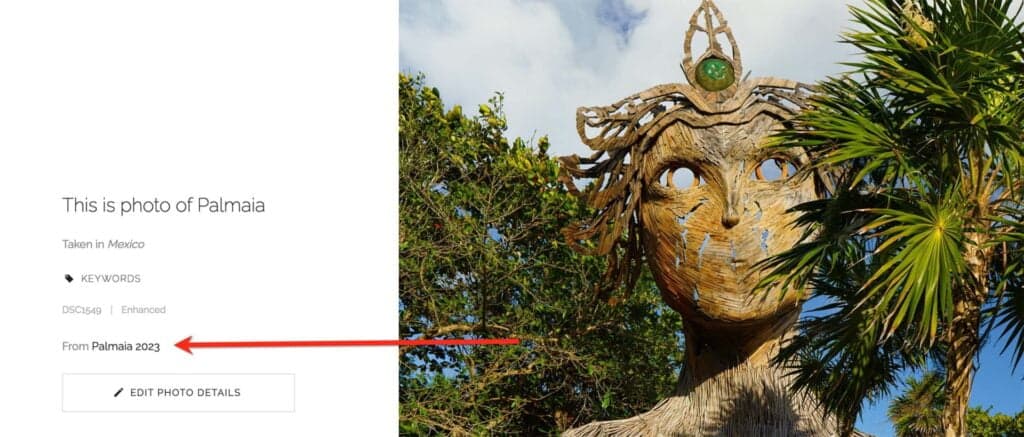
/* Hide source gallery link for collected photos */
.sm-user-ui .sm-image-metadata-attribution {
    display: none;
}
This is useful when you want collected photos to appear as native to their current gallery without revealing their original location.
Hide the Buy Multiple Photos button
The shopping cart includes a "Buy Multiple Photos" button that you might want to hide:
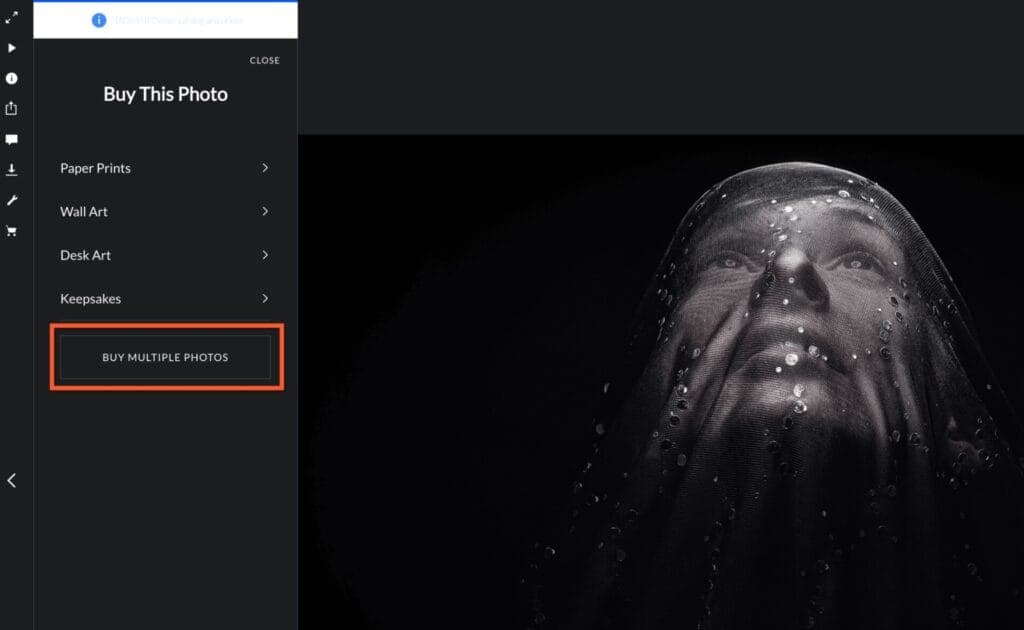
/* Hide Buy Multiple Photos button */
.sm-com-lb-sidebar-footer-container .sm-button {
    display: none;
}
This hides the button for both you (the account owner) and your visitors. You'll still be able to add multiple photos to the cart through other methods.
Where to add the code
Add a CSS content block to the Entire Site section for site-wide changes, or to specific galleries if you only want to hide elements in certain places.
Combining multiple rules
You can combine any of these rules in a single CSS content block:
/* Clean gallery appearance */

/* Hide gallery header info */
.sm-gallery-cover-info .sm-gallery-cover-title {
    display: none;
}

.sm-gallery-cover-info .sm-gallery-cover-description {
    display: none;
}

/* Hide collected photo attribution */
.sm-user-ui .sm-image-metadata-attribution {
    display: none;
}Hamburger Menu Builder
Create a custom CSS-only hamburger navigation menu for your SmugMug site. No JavaScript required - generates pure HTML and CSS code.
How to Expand Text in Journal Gallery Style
Fix truncated titles, captions, and keywords in SmugMug's Journal gallery style to use the full available width.