SmugMug Form Builder
Create custom contact forms for your SmugMug site with a visual builder. Generate styled HTML and CSS code ready to paste into your site.
The SmugMug Form Builder lets you create custom contact forms that match your SmugMug site's design. Build your form visually, customize colors and styling, then copy the generated code to your site.
How it works
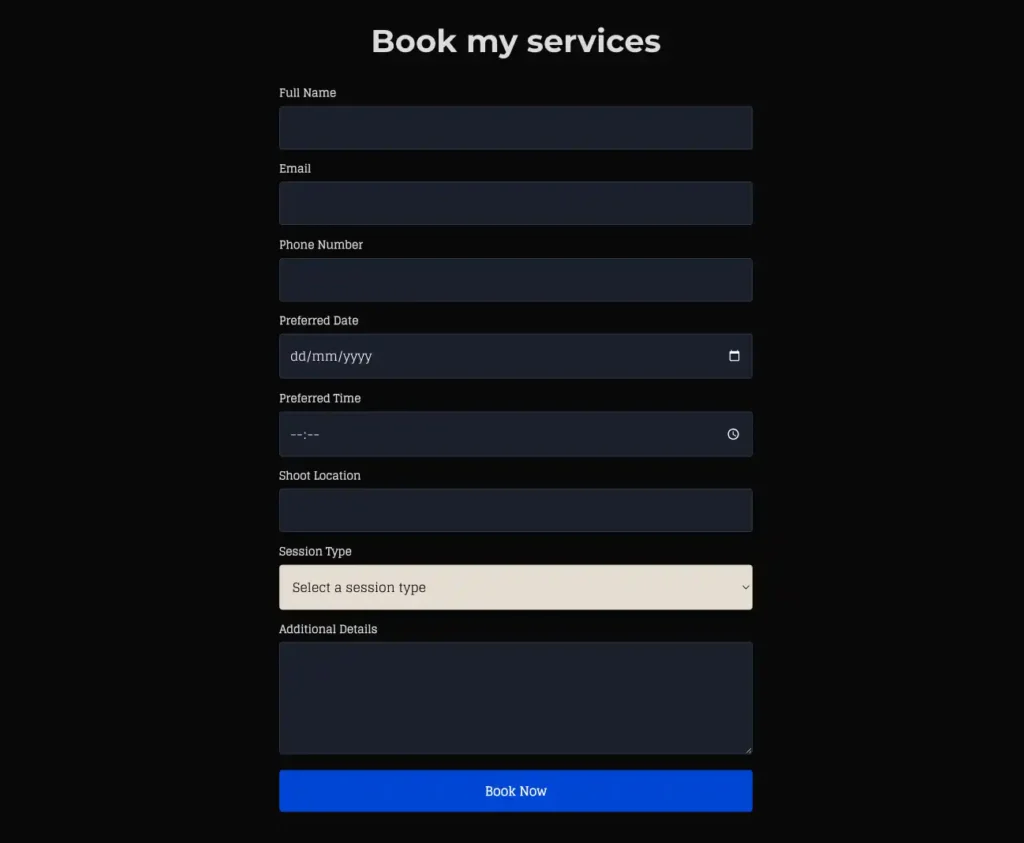
SmugMug doesn't support server-side form processing directly. This builder creates forms that work with Basin, a free form backend service that handles submissions and sends them to your email.
Basin offers a free tier that includes up to 100 form submissions per month - plenty for most photographers.
Set up Basin
Before using the form builder, you need a Basin account to receive form submissions.
Create a Basin account
Visit usebasin.com and sign up for a free account using your email address.
Create a new form endpoint
After logging in, click "New Form" to create a form endpoint. Basin will generate a unique form ID that looks like abc123xyz.
Configure your form settings
In Basin's settings, you can:
- Set the email address where submissions are sent
- Customize the thank-you page redirect URL
- Enable spam protection
- Set up email notifications
Copy your Form ID
Copy the form ID from Basin - you will need to paste it into the form builder below.
Build your form
Use the interactive form builder below to design your contact form. Add fields, customize colors, and preview your form in real-time.
<!-- Please enter your Basin Form ID -->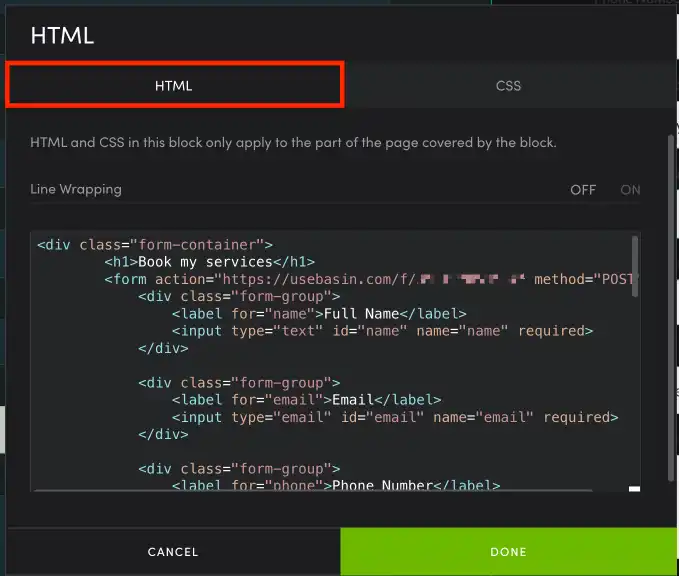
Add the form to SmugMug
Once you've designed your form and generated the code, follow these steps to add it to your SmugMug site.
Copy the HTML code
Click the "Generate Code" button, then switch to the HTML tab and copy the code.
Open SmugMug customization
Go to your SmugMug site, click "Customize", then navigate to the page where you want the form.
Add a Text content block
Add a new content block and choose "Text" or "Custom HTML" depending on your SmugMug plan.
Paste the HTML
Switch to HTML/Source mode and paste your form HTML code.
Add the CSS
Go back to the form builder, switch to the CSS tab, and copy the styles. In SmugMug, navigate to Design > CSS and paste the CSS code.
Make sure you paste the CSS into SmugMug's custom CSS section, not into the HTML content block.
Save and test
Save your changes and test the form by submitting a test message. Check your email (or Basin dashboard) to verify submissions are working.
Tips for great forms
Keep it simple Only ask for information you truly need. Name, email, and message are usually enough for a contact form.
Use clear labels Make labels descriptive so visitors know exactly what information to enter.
Match your site design Use the style presets or customize colors to match your SmugMug site's branding.
Test on mobile After adding the form, test it on your phone to ensure it's easy to use on smaller screens.
Troubleshooting
Form submissions aren't arriving
- Verify your Basin Form ID is correct
- Check your spam folder for Basin notification emails
- Ensure Basin is configured with the correct email address
Form looks different than the preview
- Make sure you added both the HTML and CSS code
- Check that the CSS was added to SmugMug's custom CSS section
- Clear your browser cache and reload the page
Styling conflicts with SmugMug theme
- The generated CSS uses specific class names to avoid conflicts
- If issues persist, try wrapping the form in a container div
Form doesn't submit
- Check your browser's console for JavaScript errors
- Ensure your SmugMug site uses HTTPS
- Verify the Basin endpoint URL is correct in the HTML
Alternative form services
While this builder generates code for Basin, you can adapt the HTML to work with other form backends:
| Service | Free Tier | Notes |
|---|---|---|
| Basin | 100/month | Recommended, simple setup |
| Formspree | 50/month | Similar to Basin |
| Netlify Forms | 100/month | Requires Netlify hosting |
| Web3Forms | Unlimited | Free with CAPTCHA |