How to Change Font Sizes in SmugMug Lightbox View
Customize the size of titles and captions displayed in SmugMug's lightbox view, including both the bottom overlay and sidebar metadata.
SmugMug's lightbox view displays photo titles and captions in two locations: the overlay at the bottom of the image and the sidebar metadata panel. Both can be customized with CSS.
Bottom overlay titles and captions
The titles and captions that appear at the bottom of photos in lightbox view can be resized:
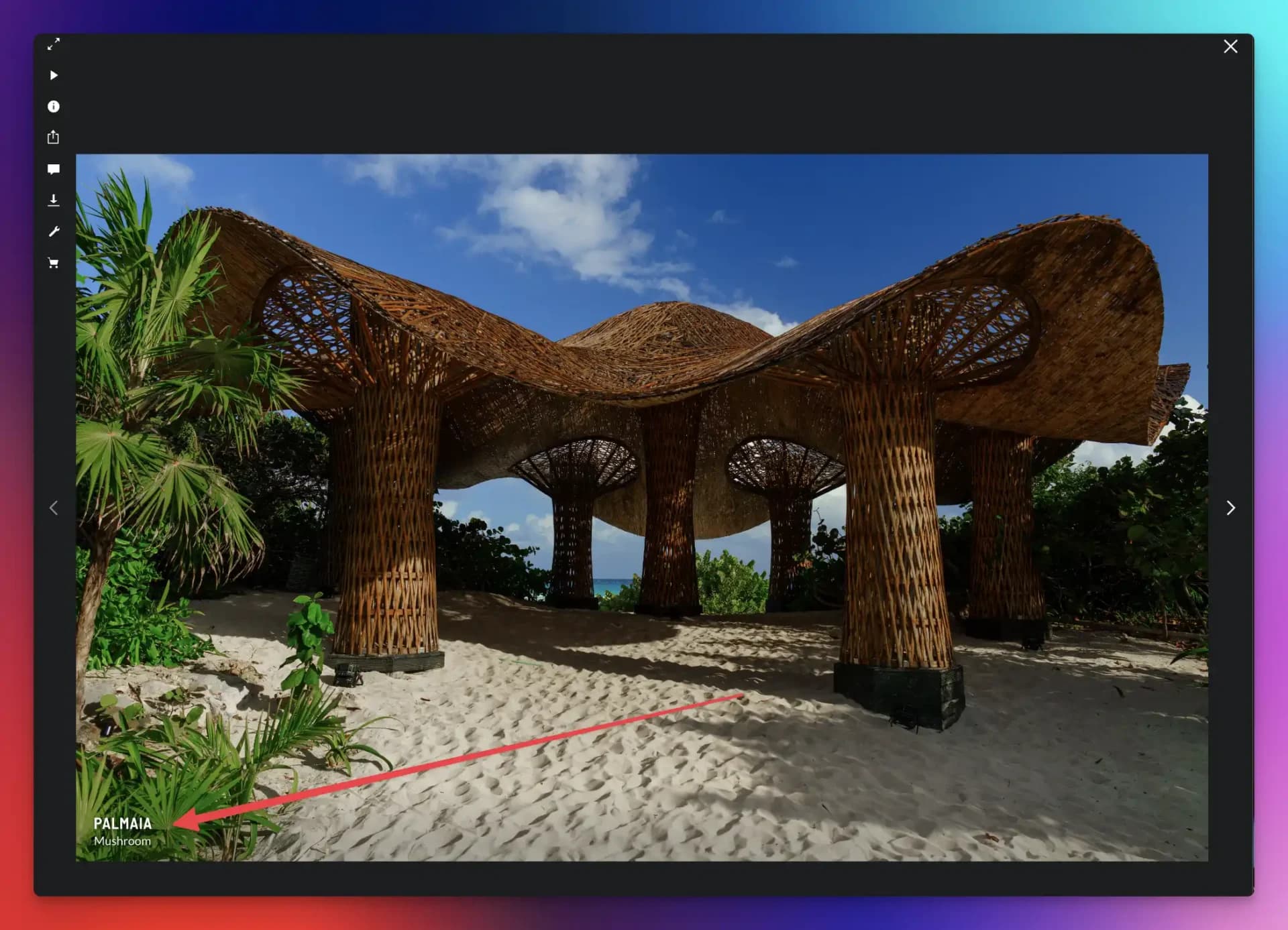
/* Change font size for lightbox captions (bottom overlay) */
.sm-lightbox-v2-photo-title .sm-button-label p {
    font-size: 24px;
}

/* Change font size for lightbox titles (bottom overlay) */
.sm-lightbox-v2-photo-title .sm-button-label h2 {
    font-size: 36px;
}
Sidebar titles and captions
The metadata sidebar shows titles and captions when viewers click the info icon:
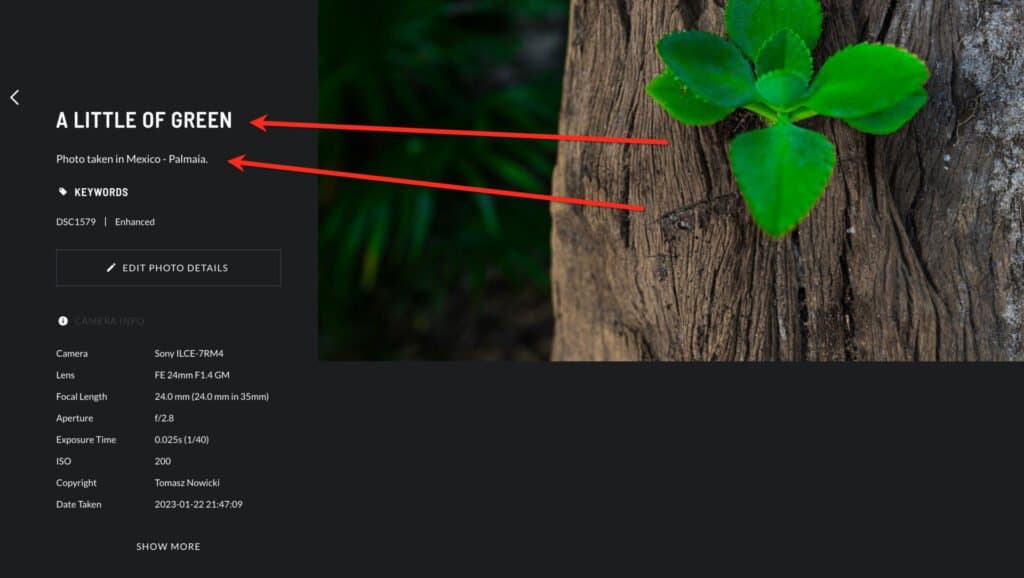
/* Change font size for sidebar captions */
.sm-user-ui .sm-image-metadata-caption {
    font-size: 20px;
}

/* Change font size for sidebar titles */
.sm-lightbox-v2-sidebar-content .sm-image-metadata [data-testid="imagemetadata_title_text"] {
    font-size: 24px;
}
Display full captions (stop truncation)
By default, SmugMug truncates long captions to a single line. To display the full caption text:
/* Show full captions in lightbox view */
.sm-lightbox-v2-photo-title .sm-text-ellipsis {
    white-space: normal;
    overflow: visible;
}

.sm-lightbox-v2-photo-title .sm-button-label {
    overflow: visible;
}
Captions are truncated by default to prevent them from covering too much of the photo on smaller screens. Enabling full captions works best when your captions are reasonably short.
Where to add the code
Add a CSS content block to either:
- Entire Site — Apply changes across all galleries
- All Galleries — Apply only to gallery pages
Customization tips
Matching your theme
Adjust the pixel values to complement your site's typography:
- Small text: 14px - 16px
- Medium text: 18px - 22px
- Large text: 24px - 36px
Combining all options
You can use all these snippets together. Here's a complete example:
/* Lightbox typography customization */

/* Bottom overlay */
.sm-lightbox-v2-photo-title .sm-button-label h2 {
    font-size: 28px;
}

.sm-lightbox-v2-photo-title .sm-button-label p {
    font-size: 18px;
}

/* Sidebar */
.sm-lightbox-v2-sidebar-content .sm-image-metadata [data-testid="imagemetadata_title_text"] {
    font-size: 22px;
}

.sm-user-ui .sm-image-metadata-caption {
    font-size: 16px;
}

/* Full captions */
.sm-lightbox-v2-photo-title .sm-text-ellipsis {
    white-space: normal;
    overflow: visible;
}How to Expand Text in Journal Gallery Style
Fix truncated titles, captions, and keywords in SmugMug's Journal gallery style to use the full available width.
How to Style the Mobile Menu on SmugMug
Customize the mobile menu button appearance including making the background transparent and repositioning the footer on mobile devices.